timeOS is an AI notetaker for people whose days are made of meetings: founders, executives, managers and consultants who jump from a product review to a board prep to a hiring call, often across languages and time zones. It records the conversation, writes the notes, and connects them to the tools where the work actually lives.
I joined timeOS as Product Manager to help a small team find product-market fit. Over the following months, our weekly active paying users grew from about a dozen to more than 1,300, which helped close a $3M post-seed round. Almost all of that happened on the web.
In my mobile case study, I asked what timeOS should be away from the desk, in the moments when a conversation is already happening. This one goes back to the desk and asks a harder question: once the meeting is over, what is a meeting note actually for? Here's what it took to answer it.
As PM, I spent a large part of every week with our users: onboarding calls, churn interviews, standing check-ins with our most active accounts, and hours of session recordings. Over time, a handful of patterns kept coming back:
- Bots don't always make it through the doorHosts left our recorder in the waiting room, and attendees regularly asked who the extra participant was before the meeting had started.
- The homepage made users find their own wayOur calm, nearly empty homepage mirrored the Chrome new tab, so every visit began with a search for the thing users had come for.
- Almost nobody read the full notesUsers skimmed, or skipped straight to the transcript and searched for a keyword. What they valued most was knowing that nothing had been lost.
- Action items were accurate, then expiredThe work happened between meetings, where timeOS couldn’t see it, and each meeting lived in a vacuum. Asking users to keep our list up to date was a non-starter.
- Chat only knew one meeting at a timeAsk it about anything outside the meeting you had open, and it would politely tell you it couldn't find it.
Read together, these findings pointed at the same gap. timeOS was very good at documenting meetings, and much less helpful with everything that happens around them. My goal was to shift its center of gravity from the notes to the work: from describing what happened to helping move it forward.
In practice, that meant three things. timeOS should capture conversations without asking anyone to change how they meet. It should greet users with what's relevant now, instead of a blank page. And it should turn each conversation into work that is already half done, while keeping everything it relied on one click away.
A recorder that doesn't need an invitation
You'd think a recorder that joins any meeting on any platform, with nothing to install, would be a slam dunk. In many ways it was. Our AI bot joined Zoom, Meet and Teams calls like any other participant, and it could even attend meetings our users couldn't make themselves.
But the picture our users painted was more nuanced. Bots failed to join, hosts didn't recognize them, and some users felt uneasy announcing a recorder to every attendee, especially in sensitive conversations with candidates, customers or their own team. Capture, the one step everything else depends on, was quietly failing at the door.
So I flipped the default. In my version, the desktop app records the device's audio directly. It notices when a meeting starts on any platform and offers to capture it in one click, or automatically for users who prefer it. Nothing joins the call. Because invisible shouldn't mean secret, a single toggle lets users post a short note in the meeting chat letting everyone know timeOS is taking notes.
The bot didn't disappear; it got a more specific job. It now acts as a delegate: attending meetings a user can't make, keeping someone in the loop while they're on leave, or letting a team lead stay close to recurring team rituals without sitting in every one.
Device recording is the default: timeOS notices the meeting and offers to capture it in one click.
The bot becomes a delegate, for the meetings you can't be in.
A homepage that already knows what's next
When I joined, the timeOS homepage was intentionally almost empty. Our Chrome extension replaced every new tab with timeOS, which the team rightly saw as a real edge over competitors, and the extension and the web app had to stay identical. A new tab is supposed to be calm, so the web app was calm too, focused on the only moment we had any control over: now.
That decision had a cost. Owning the new tab brought a steady stream of requests, like showing favorites or choosing what appears there, that the page couldn't absorb without losing its calm. Meanwhile, every improvement to the web app had to fit inside the same quiet frame. We tried workarounds, like a floating widget announcing the status of recent meeting notes, but each one added noise without fixing the core issue.
Looking closer, the new tab was really doing one job: making sure timeOS was in front of users when a meeting was about to begin. In my version, that job already belongs to the desktop app, which spots meetings from the calendar and the device's audio and offers to capture them. With nothing left for the new tab to do, I let it go, and with it the rule that the homepage had to stay empty.
The empty page wasn't calm, it was quiet. timeOS knew what each user's day looked like and simply wasn't saying. The new homepage is organized around time. The top half shows the day's upcoming meetings, and the next one opens with an excerpt of its prep notes, so users can see that the work of getting ready has already started. Below, earlier conversations stay a scroll away. And in the bottom-right corner, the timeOS bubble stays put on every page as a constant way into chat.
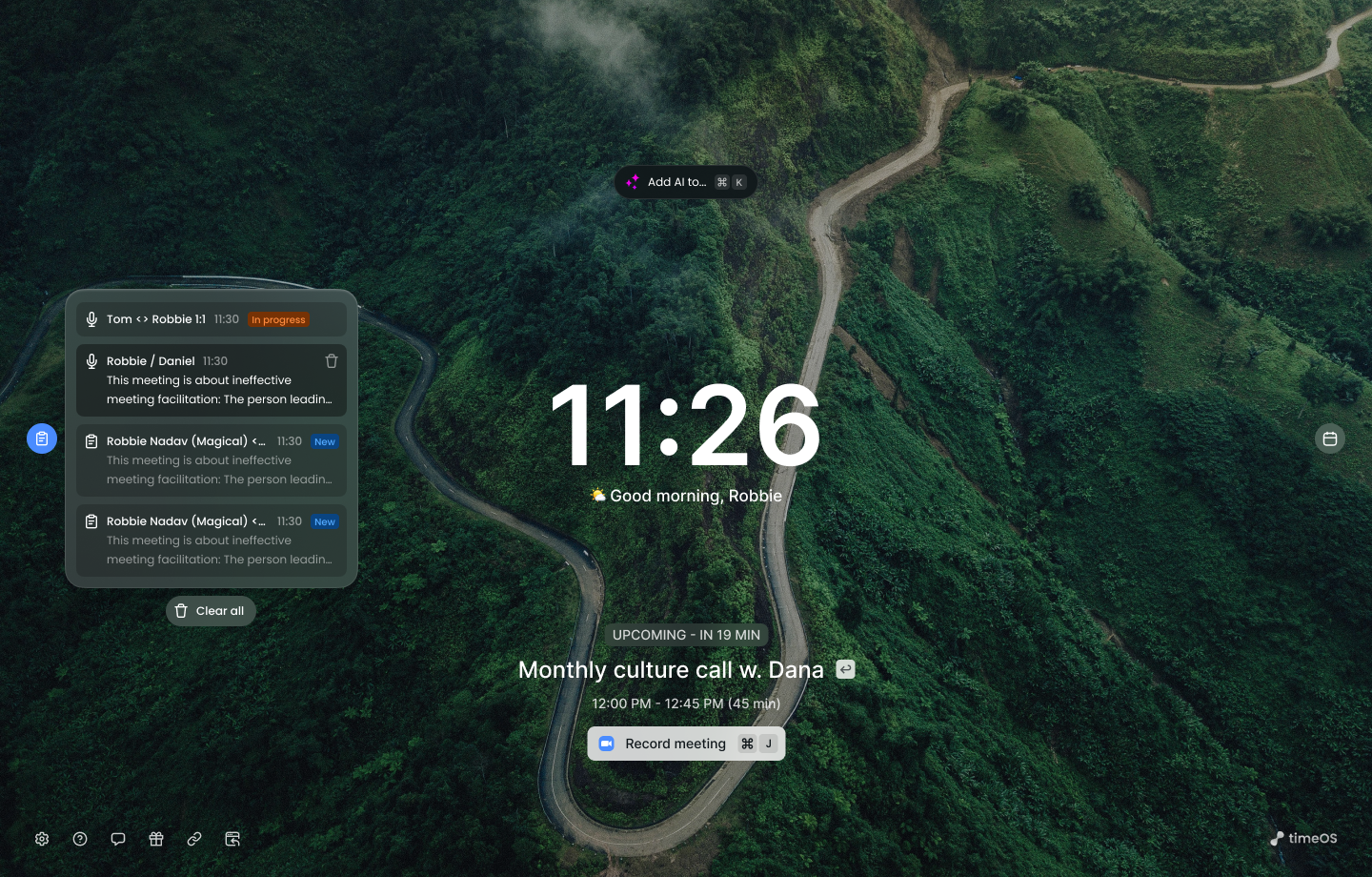
Before: one calm screen shared with the new tab, with notes tucked into a floating widget.
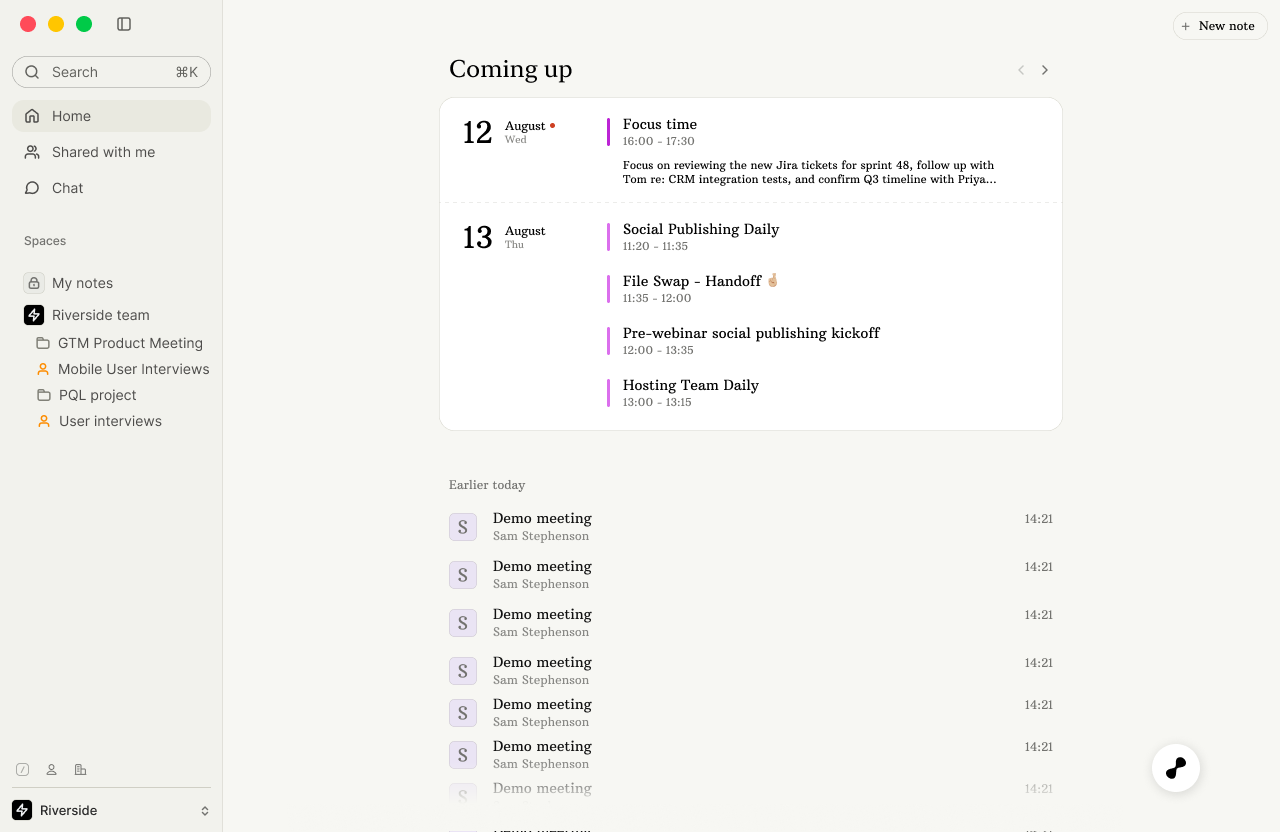
After: what's next first, with prep already underway.
One page, before and after
Our most active users prepare for meetings, at least the ones that matter. Without timeOS, that meant a frantic few minutes of digging through email, Slack, tickets and LinkedIn, or walking in half-blind and spending the first part of the call working out what it was about. My mobile study looked at why preparation matters; here, the question was where it should live.
The answer was the meeting itself. Each meeting has a single page. Before it starts, the page is a prep brief built from earlier conversations, the agenda, and connected tools. Once it ends, the same page holds what came out of it. Preparation and follow-up stop being separate documents and become two states of the same place.
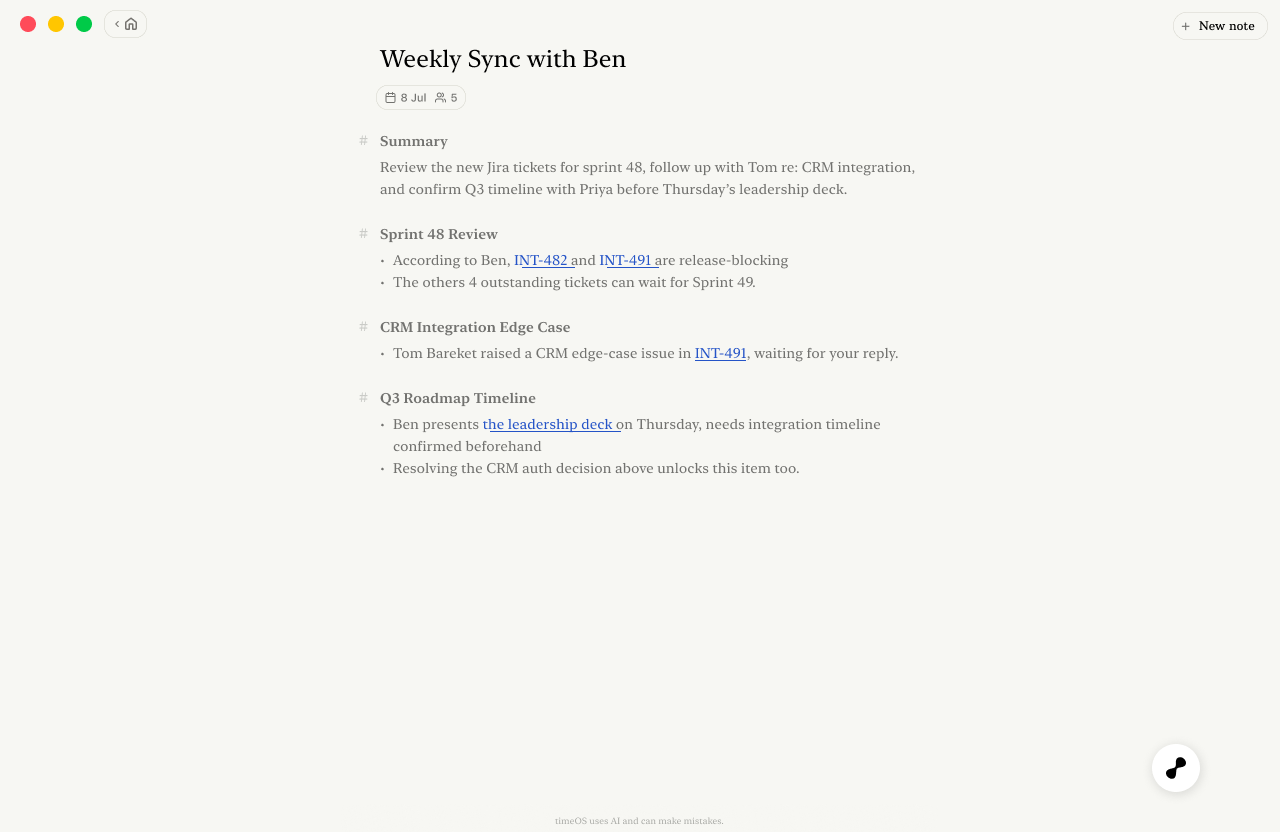
Before the meeting, the page is a brief: what to review, what's open, and who's waiting on what.
The notes nobody read
By the time I'd finished cleaning up how our notes were structured, I realized I'd been polishing the wrong thing. The mobile study had already hinted at it: people return to a conversation to find one thing, not to reread it. At the desk, our data said it more bluntly. Most users rarely opened the full notes. When they did need something, many skipped the notes and went straight to the transcript, searching for a keyword because it was faster, or because the notes hadn't yet earned their trust.
What users valued most wasn't reading at all. It was the reassurance that everything had been captured, and that if they forgot something, they could always find it. The notes were proof of work, not the work itself.
Notes aren't the product. They're the receipt.
That reframed the whole page. Instead of one long document with everything in it, the meeting page now separates two things:
Output
What timeOS made for you: a short summary, the decisions, the action items, and the drafts that move them forward.
Source
What it used to make them: the recording, the transcript, your own notes, earlier meetings, and linked tools.
Manual notes became one more source. Users who like to write during a meeting can keep doing so, and timeOS uses those notes to decide what matters most, without anyone having to choose between writing and listening.
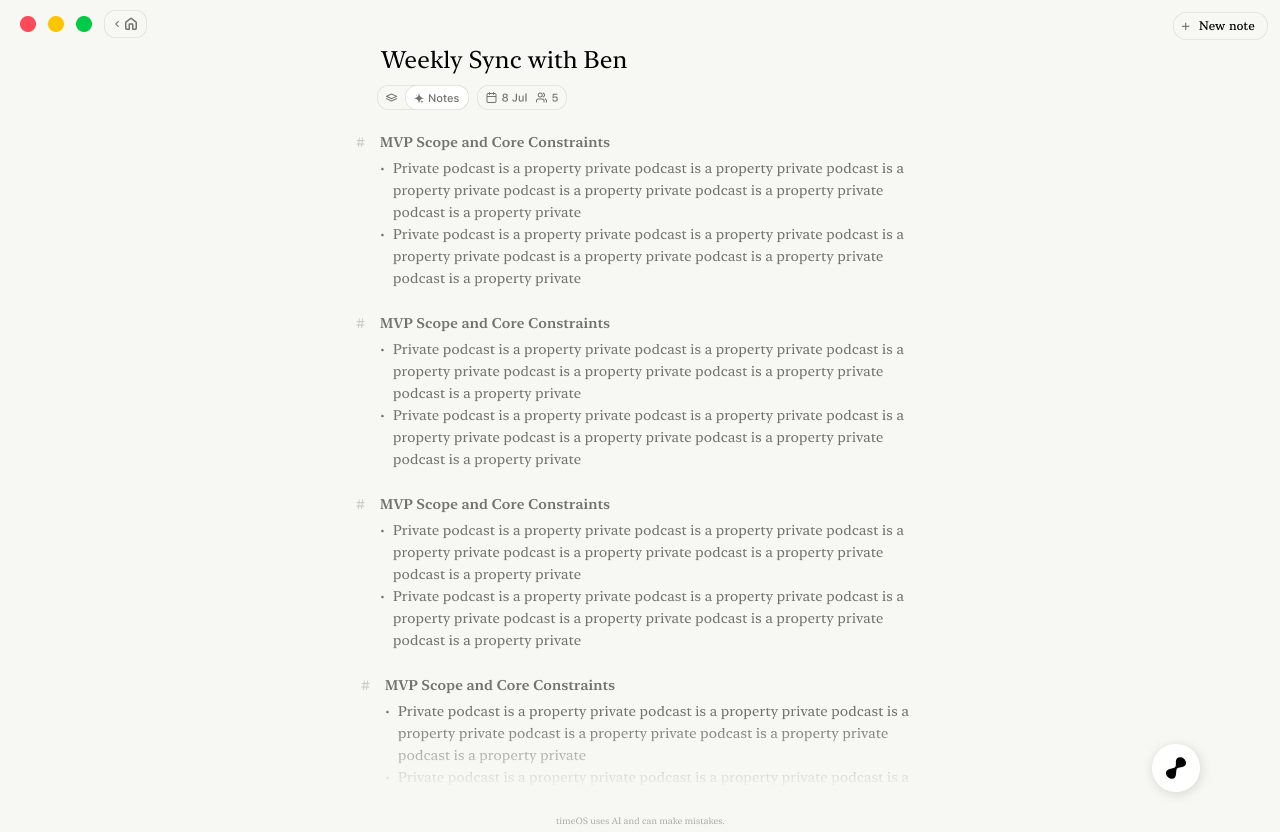
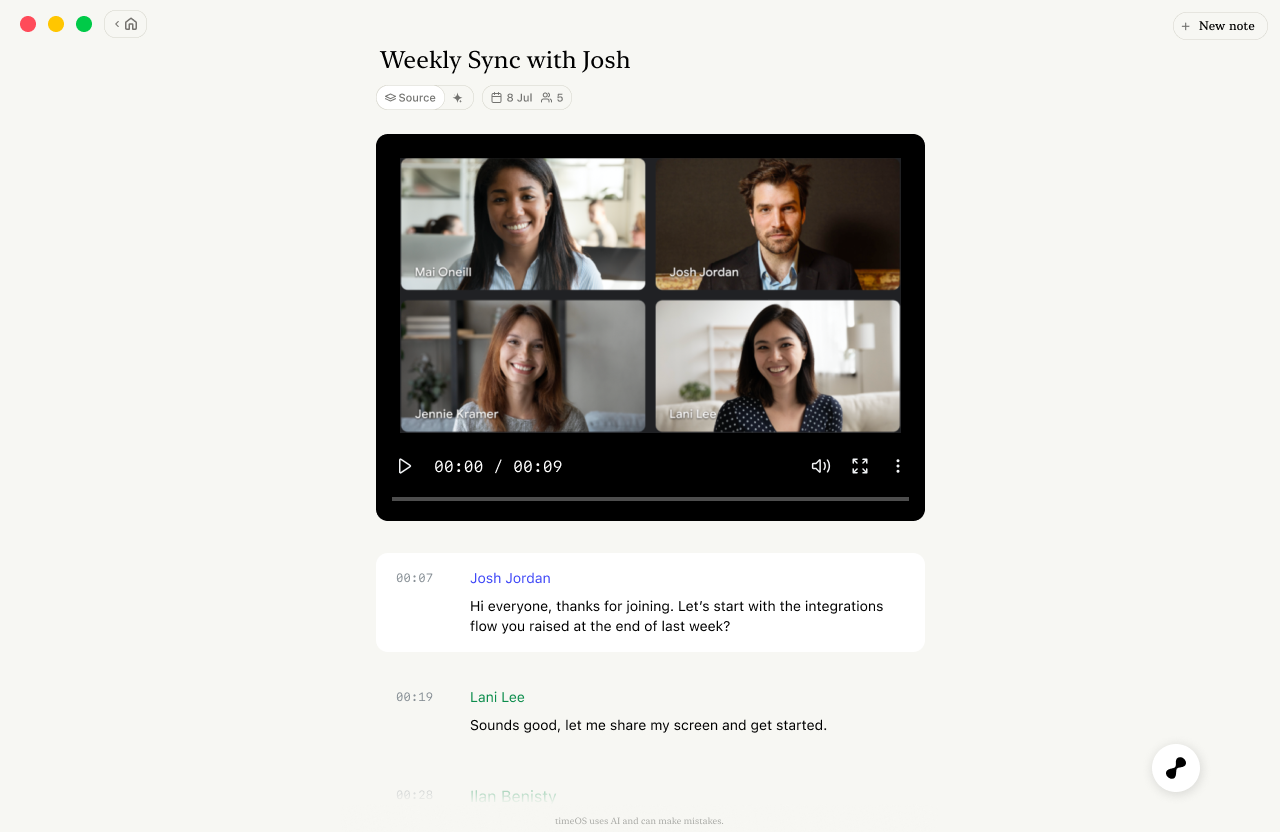
Output and Source sit one toggle apart, so the summary and the evidence behind it never drift far from each other.
Keeping the source one click away
Moving the source out of the way only works if it's easy to get back. Every claim in the output links to what supports it: a timestamp replays the moment it was said, a ticket opens with its status and owner, and a deck previews in place. Users can check a summary without leaving it, which is how a summary gradually earns trust.
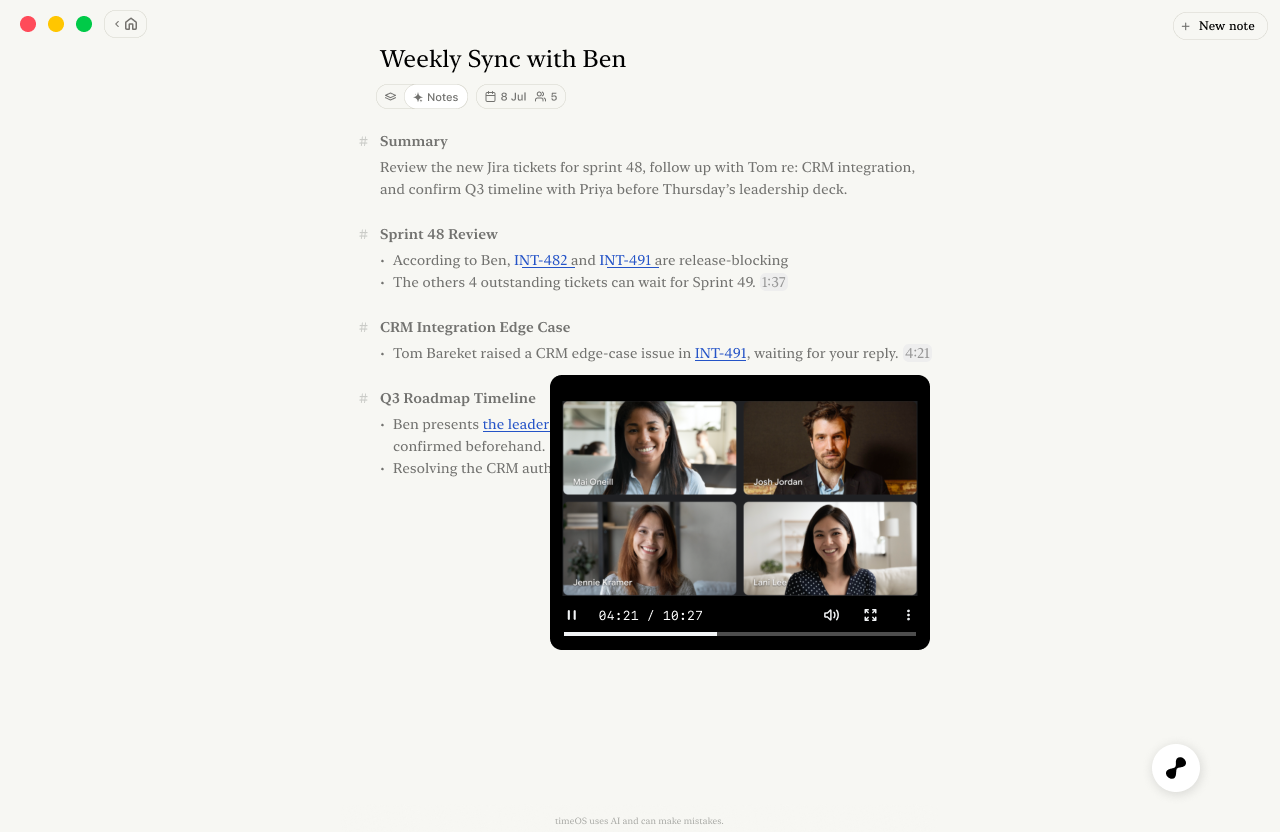
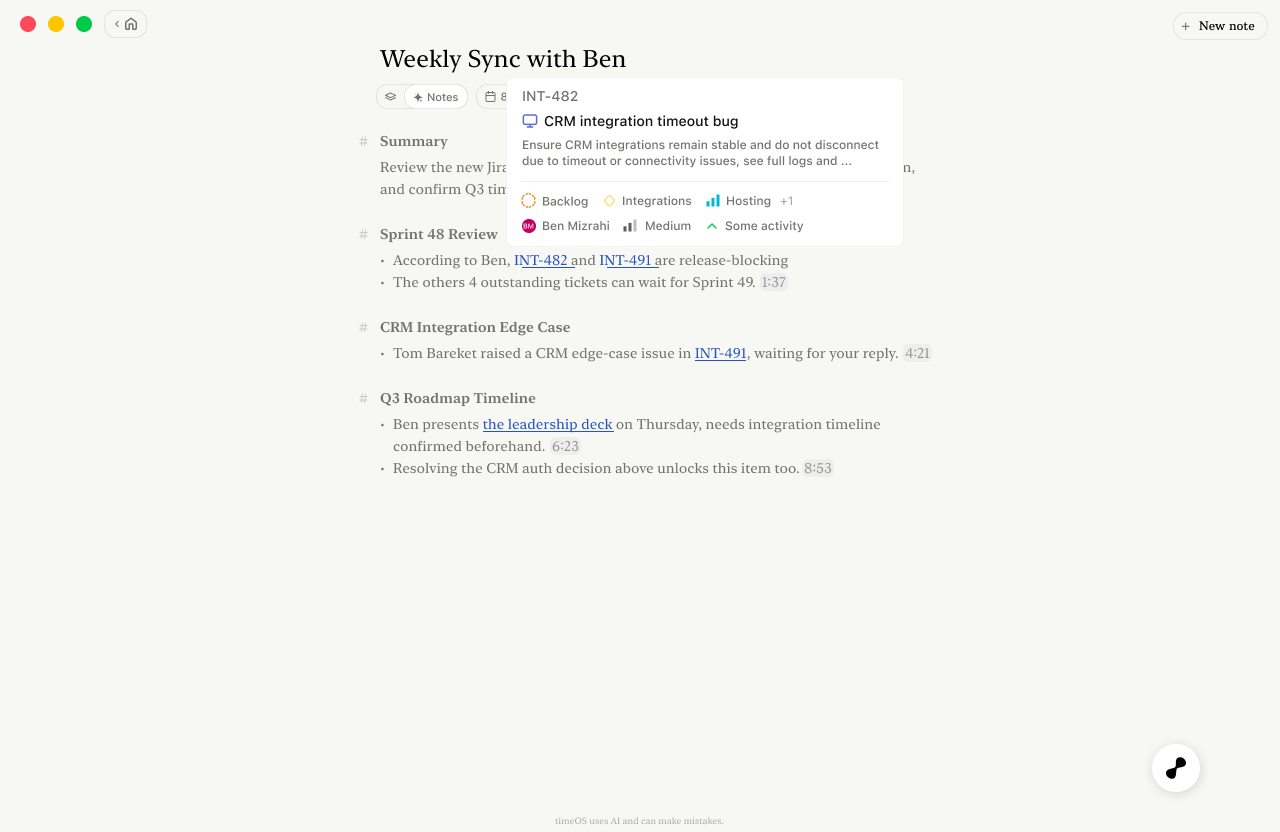
Tickets open with their status and owner in context.
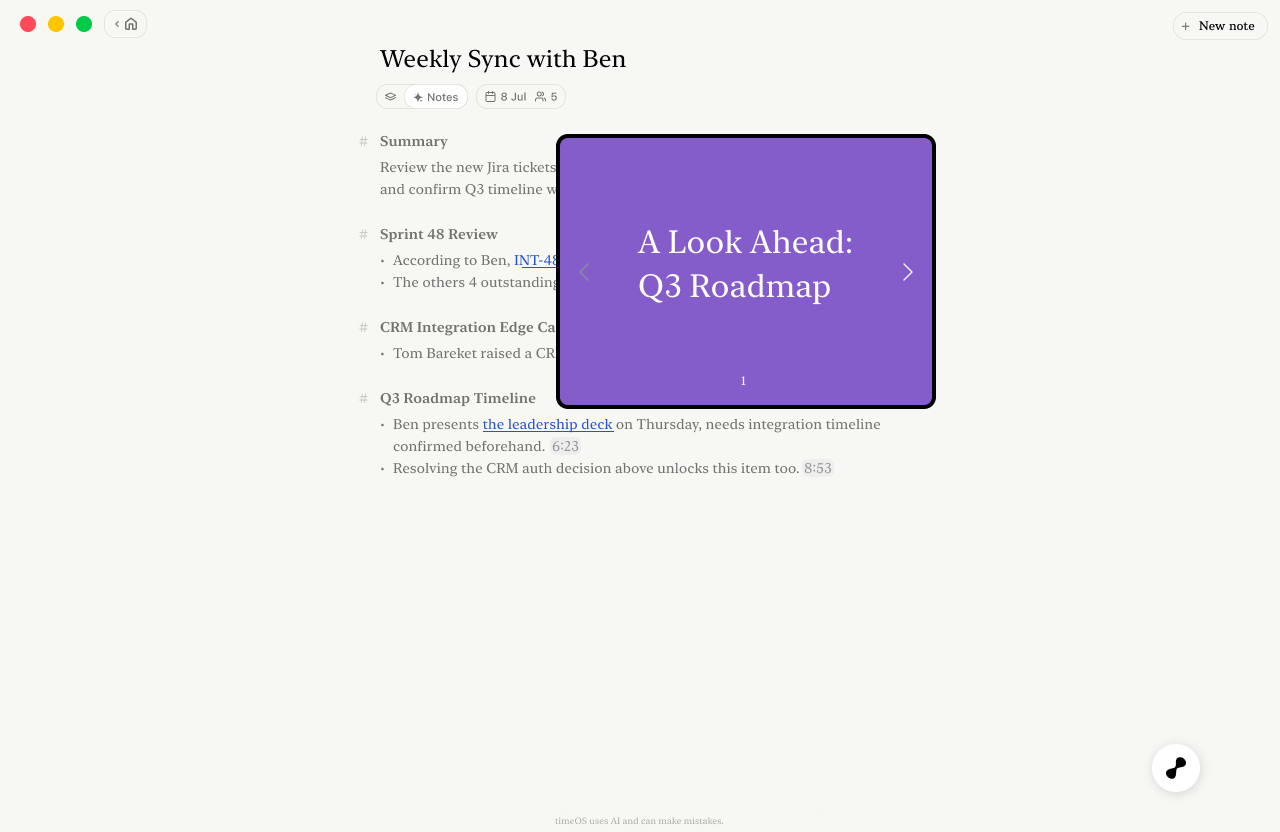
Linked decks preview where they were mentioned.
From action items to work that's half done
timeOS was always good at action items. “Send the customer the updated timeline.” “Open a feature request for CRM retries.” They were accurate, attributed, and quoted straight from the conversation, and then the user had to go do every one of them. The meeting ended exactly where the work began.
Our first attempt was a ready-made prompt in chat that drafted a follow-up email on request. Users who found it loved it, but most never did. It waited to be asked, and by the time a user thought of asking, they'd often written the email themselves.
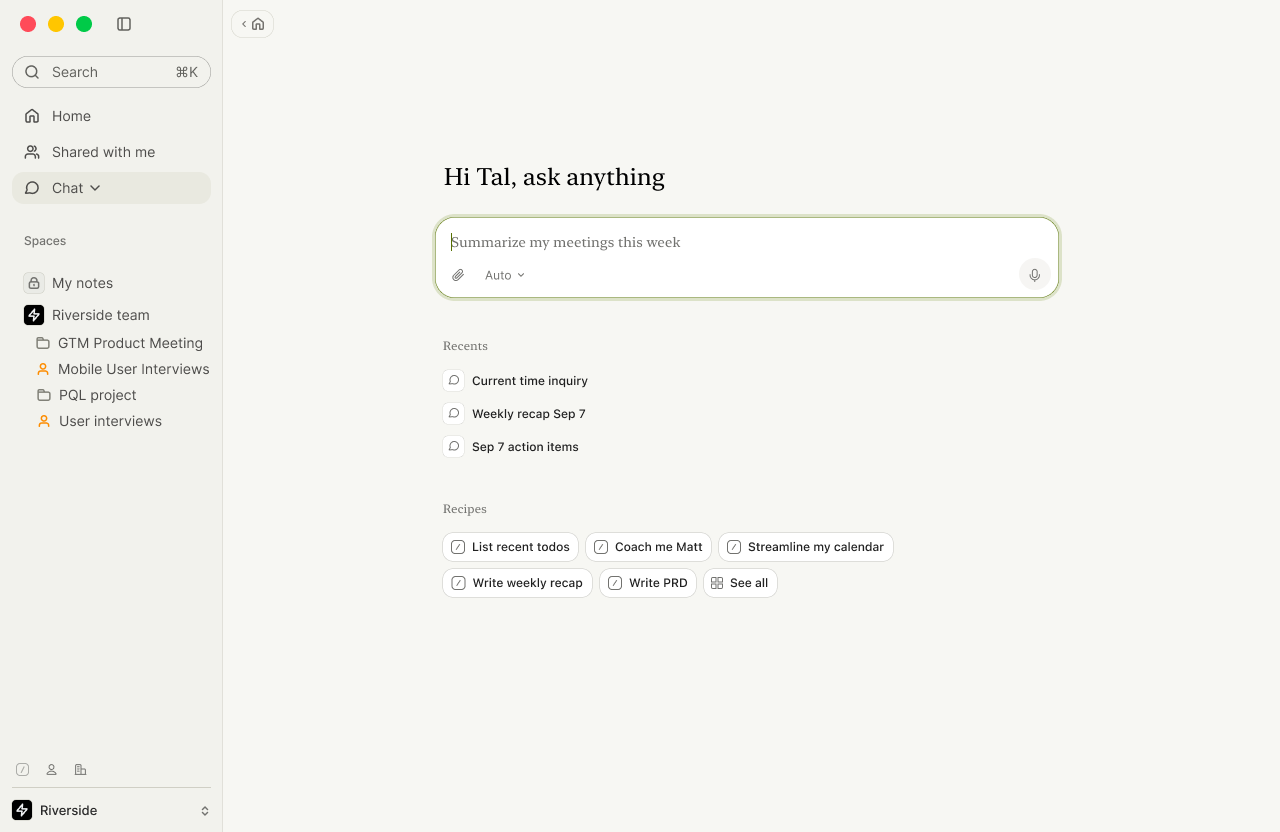
First attempt: ready-made recipes in chat. Useful, but only for users who went looking.
Next, I explored suggested drafts, a row of ready-to-review outputs below the notes, chosen by meeting type: a recap for a customer call, tickets for a sprint review, an update for a manager after a one-on-one. It was a clear step forward, but the drafts felt detached from the commitments that justified them. Users had to work out which draft answered which action item.
The final design attaches the draft to the action item itself. “Send Priya the updated Q3 timeline” now comes with the email already written. “Open a feature request for CRM retries” comes with a Linear ticket filed in the right project, ready to prioritize. Integrations decide the format, so the work lands in Gmail, Slack, Linear or the CRM instead of in another document.
One rule held throughout: timeOS drafts, the user decides. Nothing is sent or filed without a review, and every draft links back to the moment in the meeting that prompted it.
Exploration: drafts suggested by meeting type, but separate from the action items behind them.
Final: every action item comes with its next step already drafted.
One memory, wherever you ask
In the timeOS we shipped, chat lived inside each meeting and knew only that meeting. Ask it what was decided last week, or which customers raised the same issue, and it would say it couldn't find that here. Technically, that was correct. For users, it broke the promise every chat box makes: that you can ask anything. Nobody thinks in meetings; they think in projects, people and deadlines.
The limit wasn't an oversight. Keeping every meeting a user has ever had within the AI's reach is expensive and technically hard, so each chat was scoped to the one meeting it could afford to hold. We tried to work around it many times. We spelled out the limitation inside the chat to set expectations. We introduced Rooms, which empowered users to group recordings so one chat could cover all of them. And in the chat bar on the homepage, we asked users to choose a time range or specific meetings before asking anything.
Each workaround made the same trade: it kept the AI's job small by handing the hard part to the user. Before asking a question, users had to know where the answer lived, which was often the very thing they were trying to find out.
So in my version, chat stops trying to hold everything and starts looking things up. Each question searches one shared memory (every meeting, the user's own notes, and connected tools), pulls in only what's relevant, and gives recent conversations more weight so answers stay current. It's reachable from anywhere: the bubble on every page, a side panel next to any meeting, and a dedicated Chat page with recent threads and ready-made recipes.
Before: chat that only knew the meeting you had open.
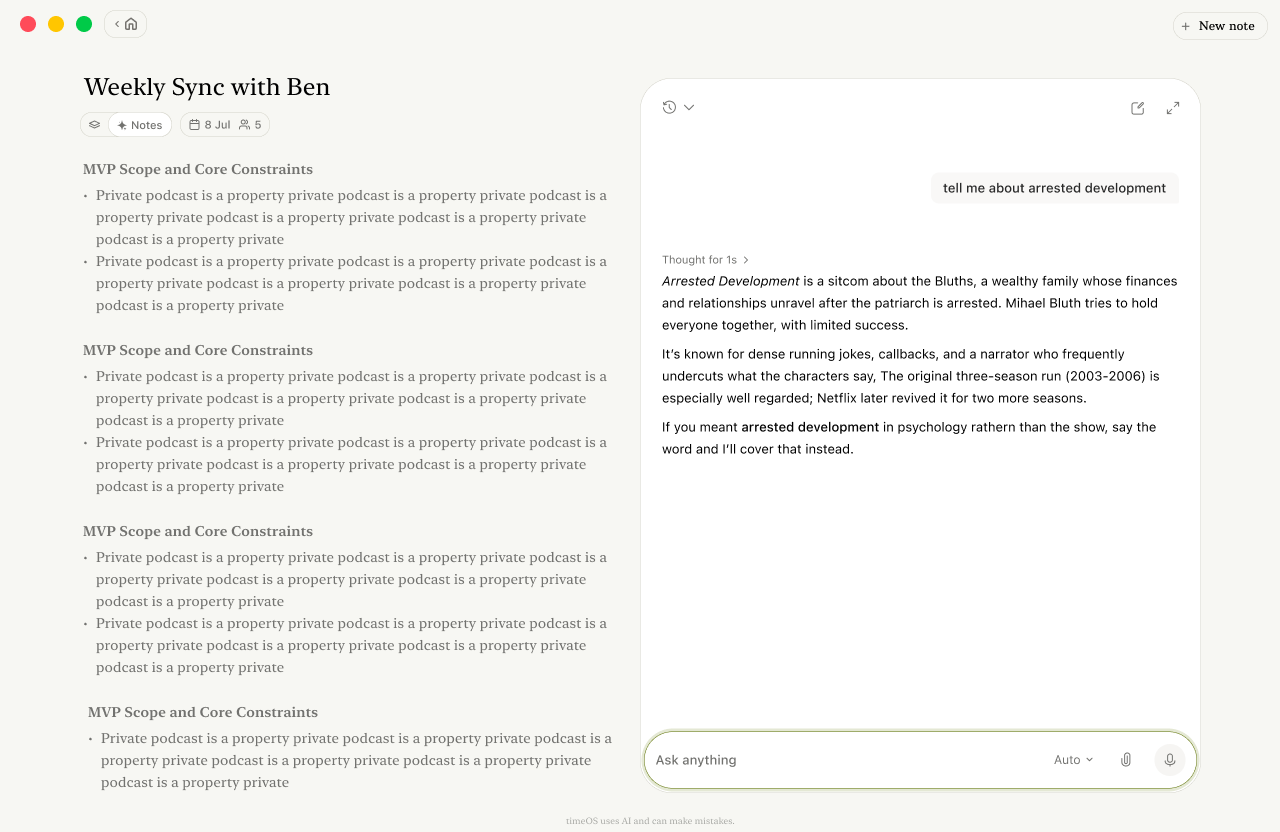
After: the same panel, drawing on everything timeOS knows.
Opening chat up created a new problem. When chat could only see one meeting, users at least knew where its knowledge ended. Now that it could see everything, they couldn't tell what it had actually checked, and a confident answer built on half the picture is worse than no answer at all.
So answers now say what they're based on. When a user asks about the rest of their week, the response notes that it used their calendar and didn't check meeting notes. It's a small line, but it lets users judge an answer's coverage and decide what to ask next, instead of having to trust it blindly.
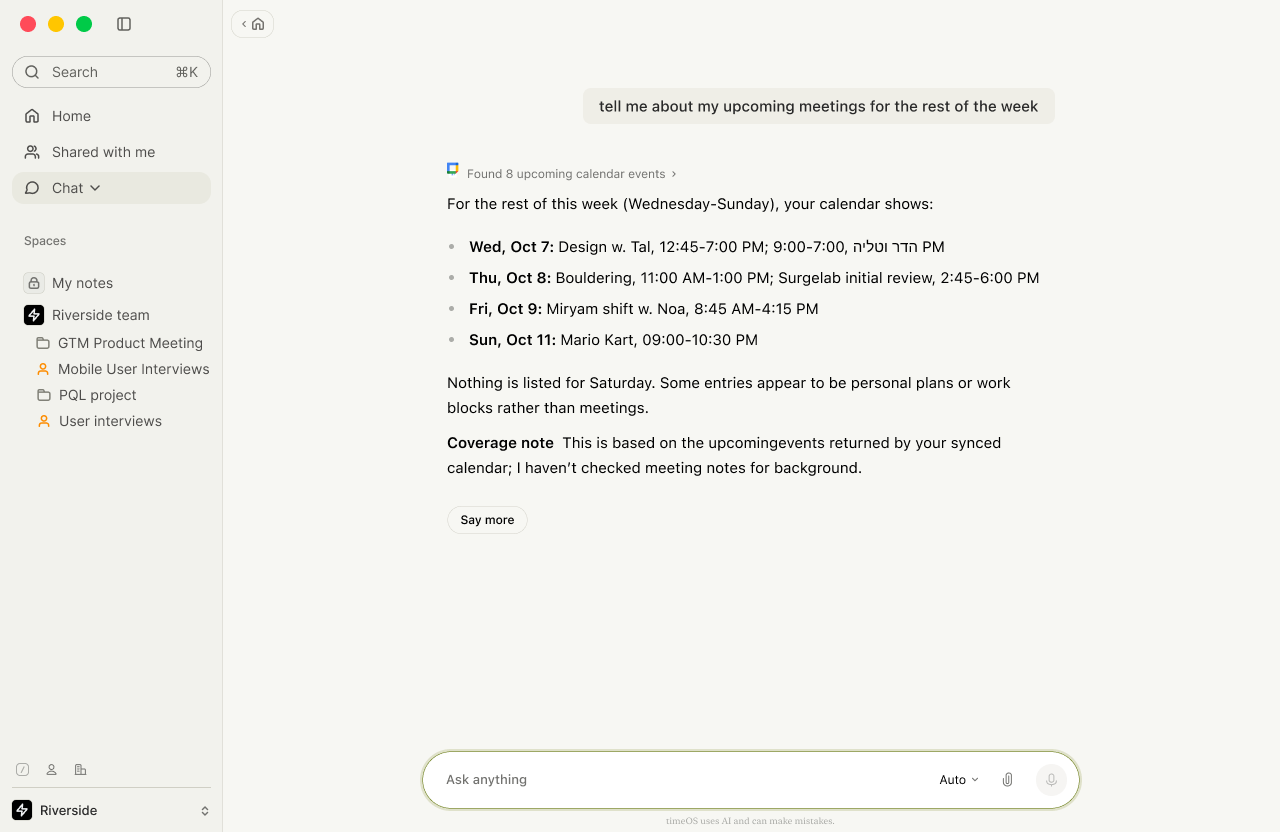
A coverage note makes the limits of each answer visible.
Together with the mobile study, this completes a picture of timeOS as one system: mobile catches the moment, the web moves it forward, and both draw on the same memory. Here are the three biggest opportunities I see from here:
- Learn from every editEach change a user makes to a draft says something about their voice, their standards and their priorities. Over time, drafts should need fewer edits.
- Close the loopAction items shouldn't end when they're drafted. timeOS should notice what got done, and carry what didn't into the prep brief for the next meeting.
- From drafts to delegationAs trust builds, users could let timeOS handle whole categories of work on its own, like filing bug reports or sending routine recaps, and review them afterwards.
Special thanks to the timeOS team: [founders], [engineers], [designers], and the users who kept telling us, patiently and honestly, what they actually did with their notes.